
Uses your browser’s reading voice.
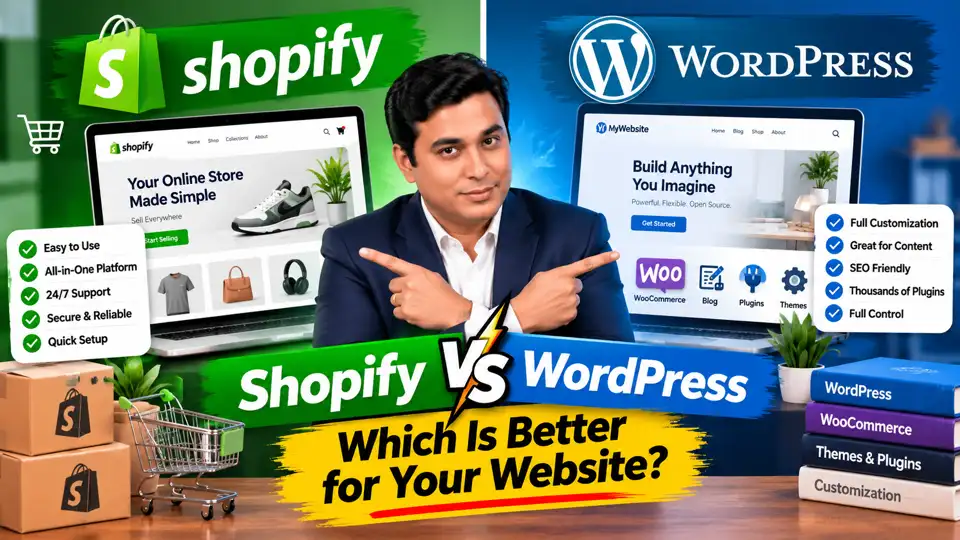
Choosing a website platform can feel confusing, especially when two popular options promise to help you build a professional online presence.
Shopify makes it easier to launch and manage an online store. WordPress gives you extensive control over website design, content, functionality, and integrations. Both can support business growth, but they are built around different approaches.
So, which one should you choose?
The answer depends on what you want to build. If your primary goal is to launch an online store without managing much of the technical infrastructure, Shopify may be the better fit. If you want a flexible website that can grow into a blog, business website, ecommerce store, or content-driven platform, WordPress deserves serious consideration.
One important clarification: Shopify and WordPress are not direct equivalents. Shopify is a hosted commerce platform, while WordPress is a content management system. To build a traditional ecommerce store with WordPress, you can use WooCommerce, an ecommerce plugin that adds shopping functionality.
Let's compare their features, costs, customization options, SEO capabilities, and limitations to help you make the right decision.
What Is Shopify?
Shopify is a hosted platform designed to help businesses create and manage online stores.
It provides tools for product management, order processing, payments through supported providers, store design, and ecommerce operations. Hosting and much of the underlying platform maintenance are managed by Shopify.
This means you do not need to arrange separate web hosting or manually maintain the core ecommerce software.
For example, imagine you want to sell clothing online. You can choose a Shopify theme, upload product images, add descriptions and prices, configure shipping, connect payment methods, and publish your store.
You can also extend your store through apps and integrations for email marketing, customer reviews, inventory management, and other business needs.
Shopify is particularly useful for entrepreneurs who want to focus on products, customer acquisition, and sales instead of managing website infrastructure.
How much does Shopify cost?
Shopify uses a subscription-based pricing model. Additional expenses may include paid themes, apps, payment processing, and other services.
Shopify's official India pricing page currently lists the Basic plan at ₹1,499 per month when billed annually. Promotional offers and monthly billing rates may differ, so check the official Shopify India pricing page before making a decision.
Benefits of Shopify
- Easy setup: You can create a store without installing separate ecommerce software.
- Managed infrastructure: Hosting and core platform maintenance are handled by Shopify.
- Ecommerce tools: Product management, orders, and other store operations are available in one platform.
- Themes and apps: You can customize your store and extend its functionality.
- Support resources: Shopify provides official help resources and support options.
- Business expansion: You can add products, integrations, and supported sales channels as your business grows.
Disadvantages of Shopify
- Recurring subscription costs: You must pay for your chosen plan to continue using the service.
- Additional expenses: Paid apps, premium themes, and transaction-related fees may increase total costs.
- Platform constraints: Some advanced customizations depend on Shopify's supported tools, APIs, and plan features.
- Less infrastructure control: You cannot manage the underlying hosting environment in the same way as a self-hosted WordPress website.
- Migration considerations: Moving to another platform may require transferring products, customer information, orders, and URLs.
Shopify offers substantial customization options, but it does not provide the same level of unrestricted infrastructure and software control as a self-hosted WordPress website.
What Is WordPress?
WordPress is an open-source content management system that can power everything from a simple blog to a complex business website.
You can use it to create service pages, publish articles, build landing pages, display portfolios, and develop customized digital experiences.
WordPress supports themes and plugins, allowing you to change your website's appearance and add functionality without building everything from scratch. Developers can also customize its code when necessary.
For example, a digital marketing agency might use WordPress to publish SEO articles, display case studies, generate leads, and sell online courses. A retailer could extend the same website with WooCommerce to sell products.
WordPress itself is available without a mandatory software licensing fee, but operating a website usually involves costs such as hosting, domain registration, premium themes, plugins, security, and maintenance.
What is WooCommerce?
WooCommerce is an open-source ecommerce plugin for WordPress. It adds features such as product listings, shopping carts, checkout, order management, and integrations for payments and shipping.
The core WooCommerce plugin is free to download, although some extensions and services require payment.
Benefits of WordPress with WooCommerce
- Extensive customization: Modify your website using themes, plugins, and custom code.
- Content marketing flexibility: Publish articles, guides, tutorials, and other content alongside your products.
- Greater technical control: Choose your hosting provider and control more aspects of the website infrastructure.
- Flexible integrations: Connect your website to suitable marketing, analytics, and business tools.
- Control over website data: Manage your website files and database within your hosting environment.
- Flexible cost structure: Start with free core software and pay for the hosting, features, and services your project requires.
Disadvantages of WordPress with WooCommerce
- More technical responsibility: Hosting, updates, backups, and security require attention.
- Learning curve: Beginners may need time to understand WordPress settings, plugins, and ecommerce configuration.
- Unpredictable total costs: Premium extensions, development, and maintenance can increase expenses.
- Plugin compatibility issues: Updates or poorly maintained extensions can create conflicts.
- Performance management: Website speed depends on hosting, themes, plugins, caching, and implementation.
- Support is distributed: Help may come from your host, plugin developers, documentation, community forums, or a hired developer rather than one central platform support team.
WordPress offers significant freedom, but that freedom comes with responsibility. You should have a maintenance plan, whether you manage the website yourself or hire a professional.
Shopify vs WordPress: Key Differences
| Feature | Shopify | WordPress + WooCommerce |
|---|---|---|
| Primary purpose | Hosted ecommerce platform | Flexible website platform with ecommerce through WooCommerce |
| Setup | Generally simpler | Usually requires more configuration |
| Hosting | Included | Arranged separately |
| Core software cost | Paid subscription | WordPress and core WooCommerce available free |
| Customization | Themes, apps, and supported code changes | Extensive themes, plugins, and code customization |
| Maintenance | Core infrastructure managed | More responsibility for the website owner or provider |
| SEO | Built-in capabilities and apps | Flexible SEO tools and plugins |
| Ecommerce features | Integrated commerce tools | Added through WooCommerce and extensions |
| Technical control | Managed platform environment | Greater control over hosting and website software |
| Best suited for | Businesses wanting a managed store | Businesses wanting flexibility and broader website capabilities |
Neither platform guarantees better sales, faster growth, or higher Google rankings. Those outcomes depend on your implementation, products, content, marketing, and customer experience.
1. Which Platform Is Easier to Use?
If you are building your first website, ease of use can make a significant difference.
Shopify provides a guided environment for setting up an online store. You can select a theme, add products, configure essential settings, and manage orders from a central dashboard.
WordPress is also accessible to beginners, but you may need to understand hosting, themes, plugins, backups, and updates. WooCommerce adds further configuration for shipping, taxes, payments, and product settings.
For example, a shop owner who wants to start selling handmade products quickly may find Shopify more straightforward.
A business owner who wants a website with a blog, service pages, lead-generation forms, and an online store may prefer WordPress because it supports a wider variety of website types.
Verdict: Shopify is generally easier for launching an ecommerce store. WordPress offers greater flexibility but may require more learning and technical management.
2. Which Platform Is More Affordable?
There is no universal answer because the total cost depends on the website you want to build.
With Shopify, you pay a subscription and may incur additional expenses for apps, themes, payment processing, and development.
With WordPress, the core software is free, but you generally pay for hosting and a domain. Depending on your requirements, you may also need premium plugins, design work, security services, and technical support.
A basic WooCommerce store may be inexpensive if you use suitable free tools and manage it yourself. A complex store with custom features can become expensive.
Shopify may offer better overall value if the time saved on technical maintenance is worth the subscription cost.
Before deciding, calculate your expected first-year costs, including software, hosting, apps, maintenance, and your own time.
3. Which Platform Offers More Customization?
WordPress generally offers greater technical freedom because you can control the hosting environment and modify the website through plugins, themes, and code.
This can be valuable when you need custom functionality or want to build a website that combines publishing, lead generation, memberships, and ecommerce.
Shopify also supports customization through themes, apps, and developer tools. However, some features are governed by platform limitations and plan-specific capabilities.
For a business with standard ecommerce requirements, Shopify's customization options may be sufficient. For a project requiring specialized workflows or extensive control over website architecture, WordPress may be more suitable.
4. Which Platform Is Better for SEO?
Both platforms can support effective search engine optimization.
Shopify provides essential SEO features and allows businesses to optimize product pages, collection pages, metadata, images, and blog content.
WordPress offers extensive control over content structure, internal linking, metadata, schema implementation, and other technical SEO elements through its core functionality, plugins, and custom development.
However, more control does not automatically produce better rankings.
A successful SEO strategy still requires helpful content, relevant keyword targeting, technically sound pages, a good user experience, and a website that meets searchers' needs.
If content marketing is central to your business, WordPress offers a particularly flexible publishing environment. If you want to manage an online store with less technical responsibility, Shopify can also be an effective SEO platform.
5. Which Platform Is Better for Growing a Business?
Both platforms can support business growth.
Shopify offers managed infrastructure and an ecosystem of ecommerce integrations. This can help store owners expand their product catalogs and operations without taking responsibility for the underlying hosting environment.
WordPress allows you to expand your website through new content types, plugins, integrations, and custom development. WooCommerce adds ecommerce capabilities to this flexible environment.
However, growth depends on more than the platform. You will need a reliable website, effective marketing, appropriate inventory or service management, and a positive customer experience.
Choose the platform that can support your likely requirements without introducing unnecessary complexity.
Which One Should You Choose?
Choose Shopify if:
- You primarily want to build an online store.
- You prefer a managed platform and simpler technical maintenance.
- You want to launch without configuring separate hosting.
- You are comfortable with subscription-based pricing.
- You want to focus on marketing, products, and customer service.
Choose WordPress with WooCommerce if:
- You need a flexible business website alongside ecommerce.
- You want greater control over website functionality and hosting.
- Content marketing and blogging are central to your strategy.
- You are comfortable managing technical tasks or can hire a developer.
- You want to choose from a broad range of plugins and integrations.
Frequently Asked Questions
Is Shopify better than WordPress?
Shopify is generally better suited to businesses that want a managed ecommerce platform. WordPress is better suited to projects that require a flexible content management system and greater technical control. Your requirements determine which is the better choice.
Is WordPress free?
WordPress is open-source software available without a mandatory licensing fee. However, hosting, domains, premium themes, plugins, maintenance, and development can cost money.
Can I sell products using WordPress?
Yes. WooCommerce adds ecommerce functionality to WordPress, allowing you to sell physical products, digital products, and other supported offerings.
Which platform is better for beginners?
Shopify is usually easier for beginners who want to launch an online store. WordPress can also be beginner-friendly, especially with managed hosting and suitable tools, but it generally involves more setup and maintenance.
Which platform is better for Google rankings?
Neither platform guarantees higher rankings. Both can support effective SEO when the website is technically sound, content is useful, and pages match search intent.
Can I move from Shopify to WordPress later?
Yes. You can migrate a store from Shopify to WordPress with WooCommerce, but the process requires planning. Products, customer records, orders, content, and URLs may need to be transferred or recreated. Set up redirects where necessary and test the new store before switching over.
Final Verdict
Shopify and WordPress serve different needs, so the best choice depends on your priorities.
Shopify simplifies ecommerce operations and reduces the technical responsibilities associated with running a store. WordPress gives you greater flexibility to build and customize a broader range of websites, while WooCommerce provides the tools to sell online.
If you want to launch an online store with minimal technical management, Shopify is a strong option. If you want greater control over your website and plan to combine content marketing with ecommerce, WordPress with WooCommerce may be the better fit.
Before making your decision, compare the total cost, customization requirements, maintenance responsibilities, and long-term business goals.
The right platform is the one that helps you serve customers effectively and grow your business without creating unnecessary complexity.