
Uses your browser’s reading voice.
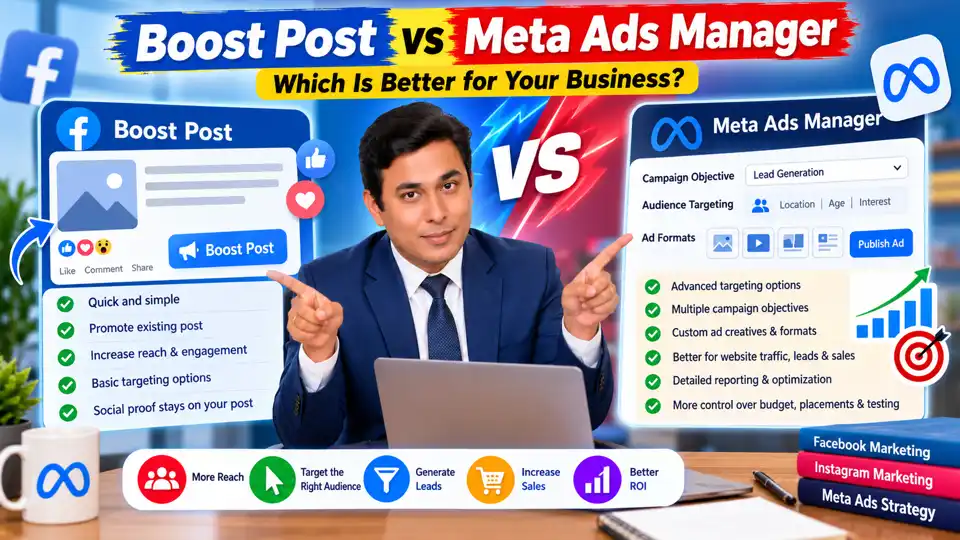
Have you ever published a Facebook or Instagram post, received a few likes, and wondered whether you should boost it or create a proper advertising campaign?
Both options can help businesses reach more people, but they serve different purposes.
Boosting a post is a straightforward way to promote existing content. Meta Ads Manager, on the other hand, provides more extensive tools for building campaigns around specific marketing objectives, refining audiences, testing creatives, managing placements, and measuring results.
The right choice depends on what you want to achieve. If your goal is to increase engagement on a post that is already performing well, boosting may be sufficient. If you want to generate leads, drive qualified website traffic, or increase purchases, Ads Manager generally gives you more flexibility.
Let's compare the two options and understand when to use each.
What Is a Boosted Post?
A boosted post is an existing Facebook or Instagram post that you pay to promote to a selected audience.
Normally, only some of your followers and other eligible users may see your organic content. Boosting allows you to pay for additional distribution beyond that organic reach.
You can generally select an objective, audience, budget, and duration using the available promotion settings.
For example, suppose your digital marketing institute publishes a post announcing a new course. You could boost that post to reach more relevant people in your target area.
When should you boost a post?
Boosting can be useful when you want to:
- Increase the reach of an existing post.
- Generate more engagement on useful content.
- Promote an event or announcement.
- Give an already popular Instagram post additional exposure.
- Test whether a piece of content resonates with a wider audience.
The main advantage is simplicity. You do not need to build a complex campaign to promote a post that is already published.
However, more impressions and likes do not necessarily translate into leads or sales.
What Is Meta Ads Manager?
Meta Ads Manager is Meta's advertising platform for creating and managing campaigns across eligible placements on Facebook, Instagram, Messenger, and other supported inventory.
It offers more extensive campaign-building and optimization options than the basic post-boosting workflow.
Depending on the campaign objective and available features, you can configure:
- Campaign objectives and performance goals.
- Audience targeting and exclusions.
- Budgets and schedules.
- Placements and creative formats.
- Multiple ad variations and tests.
- Website, lead, app, or sales campaigns.
- Conversion tracking and performance reporting.
For example, a digital marketing institute could create a lead-generation campaign targeting people interested in relevant training and invite them to submit an enquiry form.
The campaign can be designed around lead quality and cost per lead rather than simply maximizing post engagement.
Boost Post vs Meta Ads Manager: Key Differences
| Feature | Boosted post | Meta Ads Manager |
|---|---|---|
| Ease of use | Quick and simple | More setup and control |
| Main use case | Promoting existing content | Managing broader advertising goals |
| Campaign objectives | Available options depend on the promotion workflow | Wider range of objectives and performance goals |
| Audience targeting | Basic to moderate options, depending on the setup | More extensive audience controls |
| Ad formats | Primarily based on the selected existing post | More creative and format flexibility |
| Budget and schedule | Simple budget and duration controls | More detailed campaign and ad-set controls |
| Testing | More limited workflow | More extensive creative and campaign testing |
| Measurement | Basic promotion insights | More detailed campaign reporting and optimization |
| Best suited for | Engagement and simple promotion | Leads, sales, traffic, and structured campaigns |
Exact features can change based on account eligibility, campaign objective, region, and Meta's current interface.
1. Audience Targeting: Which Option Gives You More Control?
Audience selection is one of the most important differences between boosting a post and creating a campaign in Ads Manager.
With a boosted post, you can choose from the audience options available in the promotion workflow. These may include people who follow your Page, people similar to your followers, or a custom audience.
Ads Manager provides more extensive options for configuring eligible audiences, exclusions, custom audiences, and lookalike audiences where supported.
For example, a local coaching institute may want to reach prospective students within its service area. A business selling digital services nationally may need a broader audience and a different targeting strategy.
Ads Manager is generally more suitable when you need detailed audience planning and testing.
Important: Meta's available targeting options and restrictions vary by campaign and advertising policy. More targeting controls do not automatically guarantee better performance; the audience must also be relevant to your offer.
2. Campaign Objectives: Engagement or Conversions?
Your advertising objective should determine which approach you choose.
If your goal is engagement
Suppose you publish an informative reel about digital marketing that receives strong organic engagement. You want more people to see it and interact with it.
Boosting may be a practical choice if the available objective aligns with your goal.
If your goal is website traffic
If you want users to visit a particular landing page, consider the traffic objective or another suitable campaign setup in Ads Manager.
Make sure you measure meaningful outcomes rather than assuming every click represents an interested potential customer.
If your goal is lead generation
If you want people to request a consultation, register for a course, or submit their contact details, use a suitable lead-generation or conversion-focused campaign.
If your goal is sales
For an ecommerce business, a sales campaign with suitable tracking can help optimize delivery toward purchase-related outcomes when the required setup and data are available.
The key is to choose an objective that matches the action you actually want people to take.
3. Ad Creatives and Formats
Boosting is convenient when you already have a post that communicates your message effectively.
Ads Manager offers greater flexibility for creating and testing different advertising assets, depending on the campaign and placement.
You can experiment with formats such as:
- Single-image ads.
- Video ads.
- Carousel ads.
- Different headlines and primary text.
- Calls to action.
- Multiple creative concepts.
For example, a fitness studio could test a short workout video against an image highlighting its membership offer.
A service business could compare an educational creative with one focused on customer problems and solutions.
Do not assume that a more complicated advertisement will perform better. Clear messaging, relevant creative, and a strong offer are often more important than visual complexity alone.
4. Budget and Cost: Is Boosting Cheaper?
Boosting may be easier to set up, but that does not mean it will always produce cheaper results.
Similarly, Ads Manager does not automatically guarantee lower CPC, cheaper leads, or more sales.
Your advertising costs can depend on factors such as:
- Audience competition.
- Campaign objective.
- Creative quality.
- Placement.
- Budget and bidding settings.
- Conversion rate.
- Offer and landing page quality.
Consider two hypothetical campaigns:
- Campaign A spends ₹1,000 and generates 100 clicks but no qualified leads.
- Campaign B spends ₹1,000 and generates 40 clicks, including four qualified leads.
Campaign B has a higher CPC, but it may provide more business value.
Evaluate cost per qualified lead, cost per acquisition, revenue, and profit where possible. Do not judge campaign performance by CPC or engagement alone.
5. Social Proof: What Happens to Likes and Comments?
Social proof includes visible engagement such as likes, comments, and shares.
One advantage of boosting an existing post is that its engagement can remain associated with that published post on your Page or profile.
Ads Manager can also promote an existing post in supported workflows, allowing the ad to use the original post's engagement. However, not every ad uses an existing post; some ads are created as unpublished or ad-only posts.
This distinction matters when engagement is important to your strategy.
If you already have a post with strong, relevant comments and reactions, consider promoting that post rather than creating a completely separate creative without a specific reason.
Remember that likes and comments are not proof of campaign profitability. Evaluate them alongside your actual marketing objective.
6. Reporting, Testing, and Optimization
Ads Manager is especially useful when you need to compare campaigns and make decisions based on performance data.
You can examine metrics such as:
- Reach and impressions.
- Click-through rate.
- Cost per click.
- Landing page views.
- Leads and purchases, where tracking is configured.
- Cost per result.
- Return on ad spend, when revenue tracking is available.
You can also test different creative concepts, audiences, or campaign approaches where the available tools support it.
For example, an institute might compare two ads promoting the same course. One highlights practical training, while the other emphasizes the course curriculum.
By measuring qualified enquiries and enrolments, the institute can make a more informed decision than by comparing likes alone.
Should You Boost an Instagram Post or Use Ads Manager?
The answer depends on your audience and objective.
If your Instagram post is already performing well organically and you want to increase its reach or engagement, boosting it can be a sensible starting point.
If you need more control over campaign objectives, audience configuration, placements, testing, or conversion measurement, Ads Manager is generally the stronger option.
You can also promote an existing Instagram post through Ads Manager where supported. These approaches are not mutually exclusive.
Before spending money, identify which platform your audience uses, which creative resonates with them, and which action you want them to take.
A Simple Decision Framework
Choose Boost Post when:
- You want to promote existing content quickly.
- Engagement or additional reach is your main objective.
- You do not need extensive campaign customization.
- You want a straightforward promotion workflow.
Choose Meta Ads Manager when:
- You want to generate leads or sales.
- You need more extensive audience and placement controls.
- You want to test multiple creatives.
- You need detailed performance reporting.
- You want to optimize for meaningful business outcomes.
If you are unsure, start with a clear objective and a controlled budget. Measure the results before scaling your spend.
Conclusion
Boosting a post and creating a campaign in Meta Ads Manager are both useful advertising approaches, but they are not interchangeable in every situation.
Boosting is convenient for promoting existing content and increasing its visibility. Ads Manager provides more flexibility for advertisers who need structured campaigns, advanced configuration, testing, and conversion-focused measurement.
Neither approach automatically guarantees better results or cheaper advertising.
The best strategy is to choose the method that matches your marketing objective, track meaningful results, and invest more only when the data supports it.